Flows for APEX is a powerful workflow engine extension for Oracle APEX applications. Model your business processes with BPMN, develop your process steps in APEX, and monitor your running processes with the Flows for APEX application. Flows for APEX was created as a community project by team of experienced APEX professionals to meet the workflow requirements in many APEX applications.
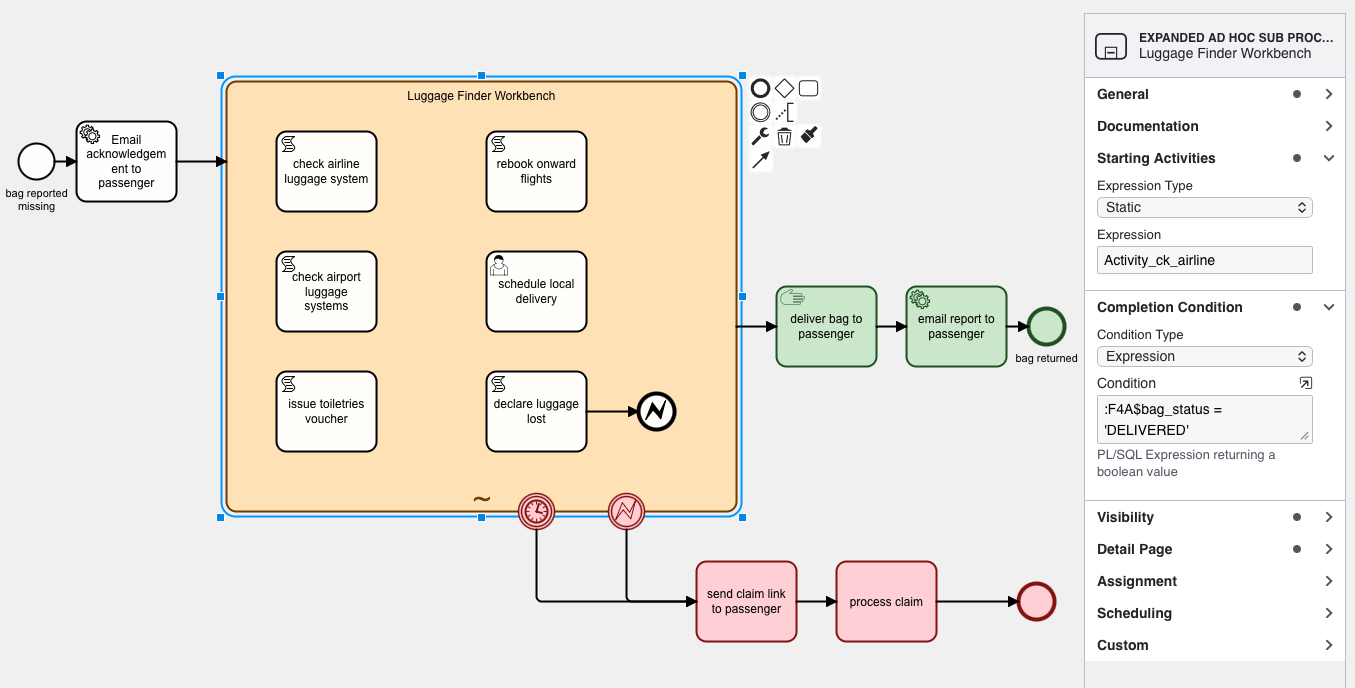
Announcing Flows for APEX v26.1 - Now Available
Flows for APEX v26.1 features significant enhancements to both editions. The Community Edition is a maintenance release, but adds:
- JSONPath Variable Expressions for easier extraction and manipulation of JSON content
- Task Parameters for easier task development
- Task Subjects for better task organization and communication
- bug fixes and stability improvements.
The Enterprise Edition features major new capabilities, including:
- Support for BPMN Adhoc Sub Processes, providing capabilities for manual and AI-controlled case management.
- Fully Autonomous Agentic Agents, with AI-controlled Adhoc SubProcesses.
- Async Task Execution, allowing long running tasks to run in background processes.
Both editions of Flows for APEX v26.1 are now available.
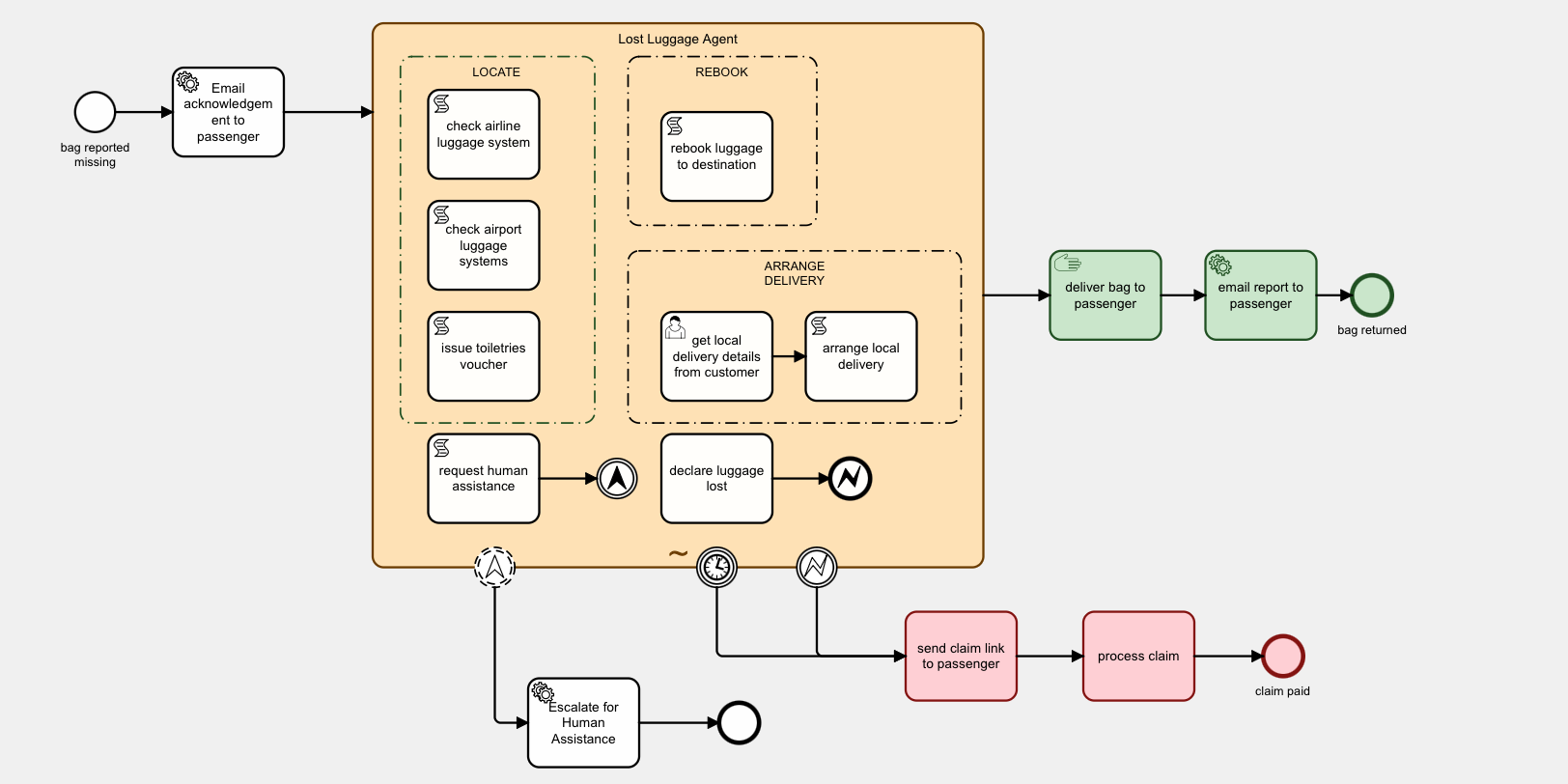
Fully Autonomous Agentic Workflows*
Experience the future of workflow automation with Fully Autonomous Agentic Workflows. These AI-powered processes can make decisions, adapt to changing conditions, and execute complex business logic without human intervention. Transform your business processes with intelligent agents that learn, reason, and act autonomously to achieve optimal outcomes, inside the guard rails, audit, and control of BPMN-defined processes. *Available in Enterprise Edition only.
Join us for APEX Office Hours: "BPMN in the Agentic Age: What's new in Flows for APEX v26.1" August 27th, 2026.
Join Richard Allen from the Flows for APEX team present and demo our new production release, Flows for APEX v26.1, on Oracle APEX Office Hours session on August 27th, 2026 at 10:00 AM New York. In this session, we’ll demonstrate powerful new capabilities for building flexible, intelligent business processes—from user-driven case management to fully autonomous, AI-controlled workflows—all within the governance, guardrails and auditability of a BPMN workflow engine.
- Watch this session to see these new features in action:
- Ad hoc subprocesses for flexible case management
- AI agents that recommend, collaborate or act autonomously
- Asynchronous execution for long-running tasks and services
- Task parameters for easier task development
- Task subjects for clearer, more informative task lists
Whether you’re automating structured processes, managing dynamic cases or exploring agentic AI, discover how Flows for APEX 26.1 takes process automation in Oracle APEX to the next level.
Oracle, HyPlus, and Flowquest launch the Oracle APEX Process Automation User group
Ralf Mueller (Oracle), Niels De Bruijn (HyPlus) and Richard Allen (Flowquest) have initiated a global Oracle APEX Process Automation User Group. Our first online meeting will be on 10-SEP at 17:00 CEST. Topics include new features in Flows for APEX 26.1 and the upcoming rules engine in Oracle APEX. Sign up for this free event now!
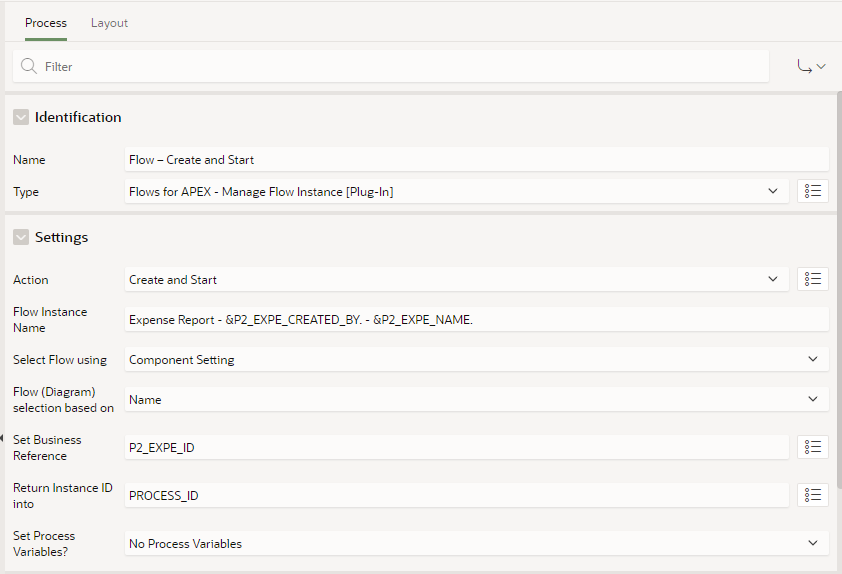
Integration in your APEX application
3 process plug-ins are part of the distribution to make the integration easier:
- Manage Flow Instance: start, stop, terminate, reset and delete the entire flow instance
- Manage Flow Instance Step: start, reserve, release and complete a single step
- Manage Flow Instance Variables: set and get process variables
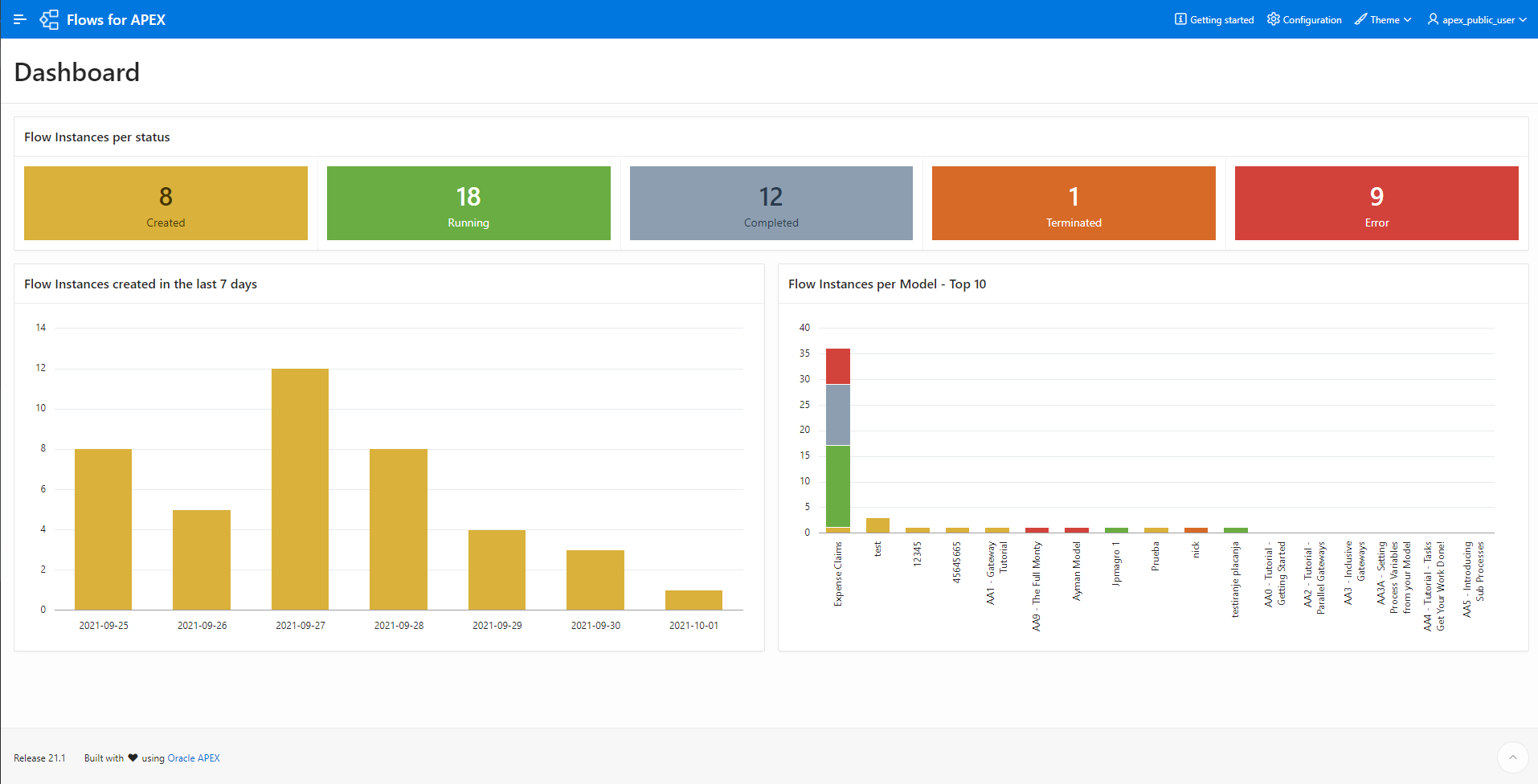
Monitor your running instances
The engine app can be use:
- to monitor the running instances
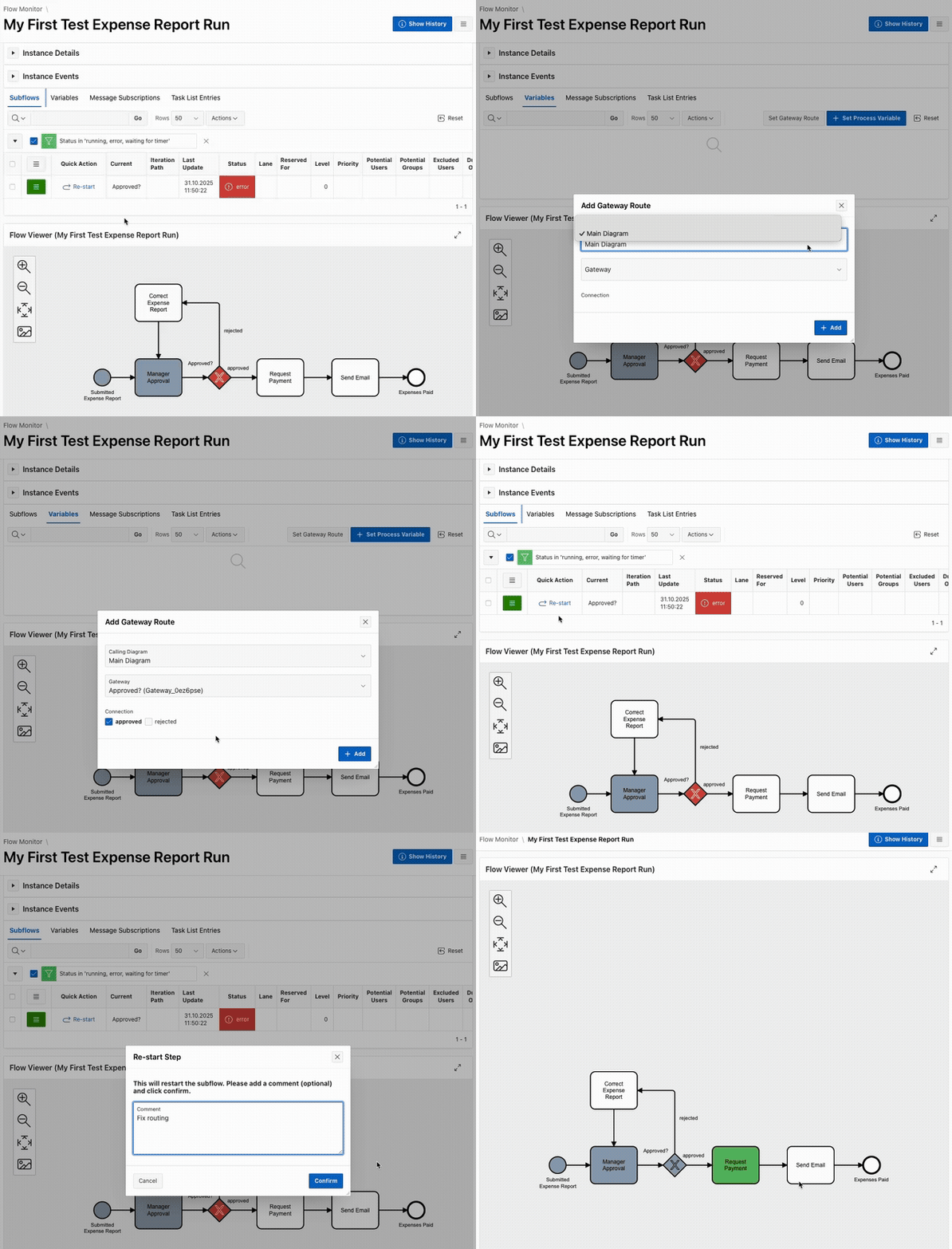
- to identify errors by viewing the events logs
- to restart steps in error after fixing the issue
Build Your First Workflow
Use our Build Your First Workflow tutorial to get hands-on with Flows for APEX. In about 90 minutes, you will model and run a complete process-driven APEX application flow.
- Model a business process in BPMN.
- Integrate an APEX page for data collection.
- Add an APEX Human Task for approvals.
- Run a PL/SQL script step and send email to the user.
- Learn how to debug and fault-find as you develop.
- Full step-by-step instructions and starter material are included.
100% Open Source
Flows for APEX is open source. You can share and/or modify it, always under the adherence of the MIT-license.