You are not looking at the latest version of the documentation. Check it out there.
You are looking at draft pre-release documentation for the next release of Flows for APEX. Product features documented here may not be released or may have different behavior to that documented here.
You should not make any purchase decisions based on this draft documentation..
Preparing your App
Prepare Your Application for Flows for APEX 🆕
Import the plug-ins and application items.
A Flows for APEX app requires a set of plugins and application items. These are now all contained in an APEX Component Group, and can be imported in one simple step.
-
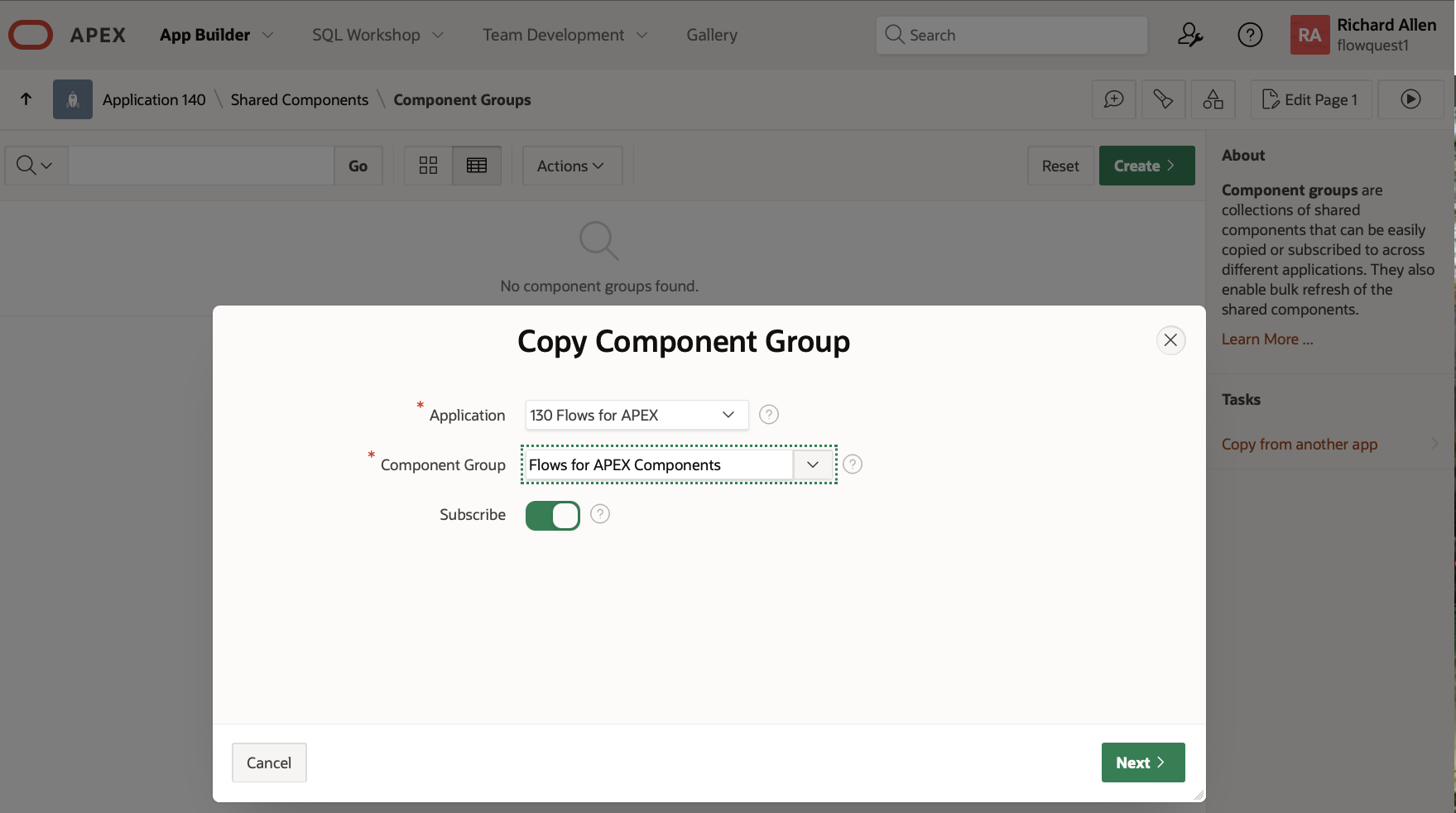
Go to Shared Components –> Component Groups and click on Copy from another app (Under Tasks in the Right hand pane).
-
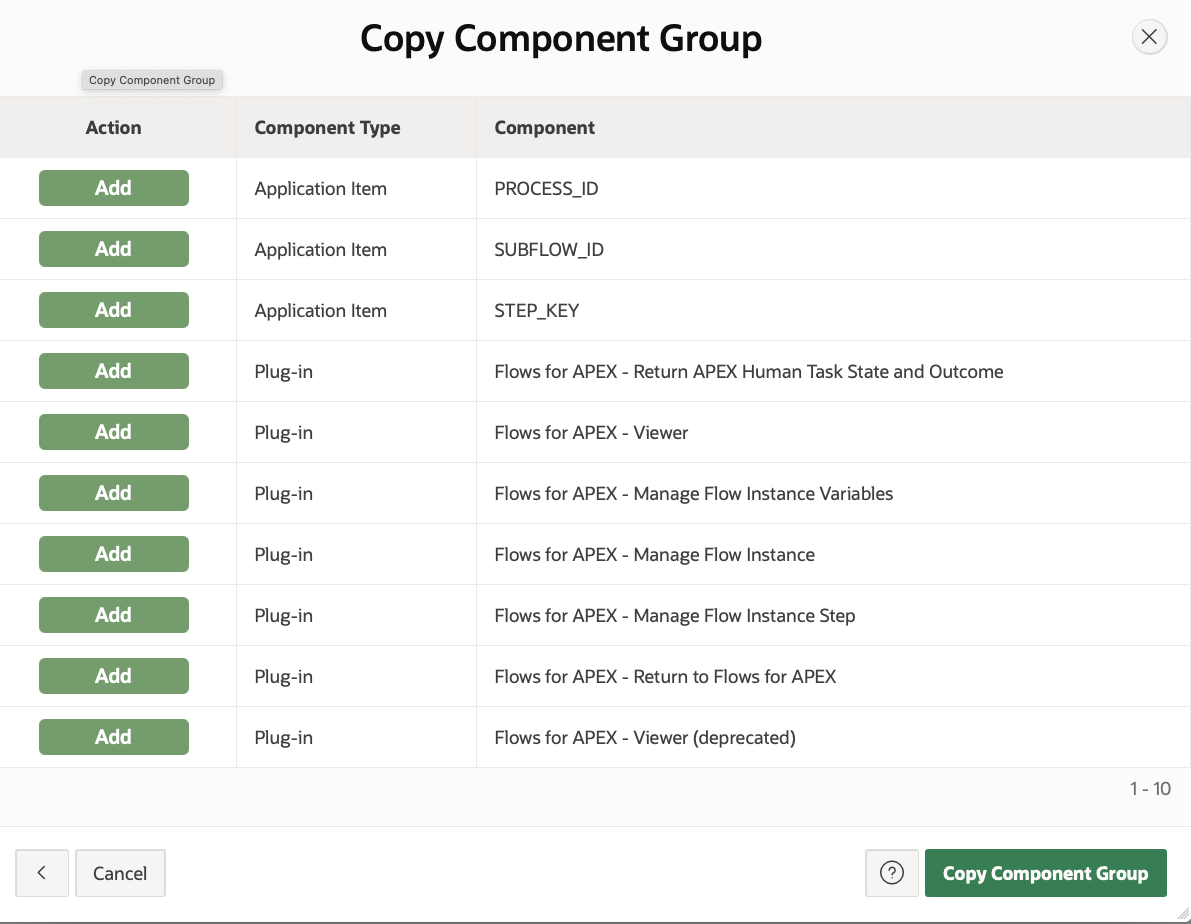
Select the Flows for APEX application, find the Flows for APEX Components component group, and click on Next.
-
Click Copy Component Group
-
You how have all the components required. for your application.
Using the Plugins
See Plugin documentation