Flows for APEX version 26.1 introduces powerful new features for both Community and Enterprise Editions. The Flows for APEX Community Edition remains as a free-of-charge, community supported product - with new features. The Flows for APEX Enterprise Edition is a major release bringing simple Case Management and AI-powered Autonomous Agents to the BPMN world, adds more features for enterprise deployment and management, and comes with support from Flowquest. Major features include:
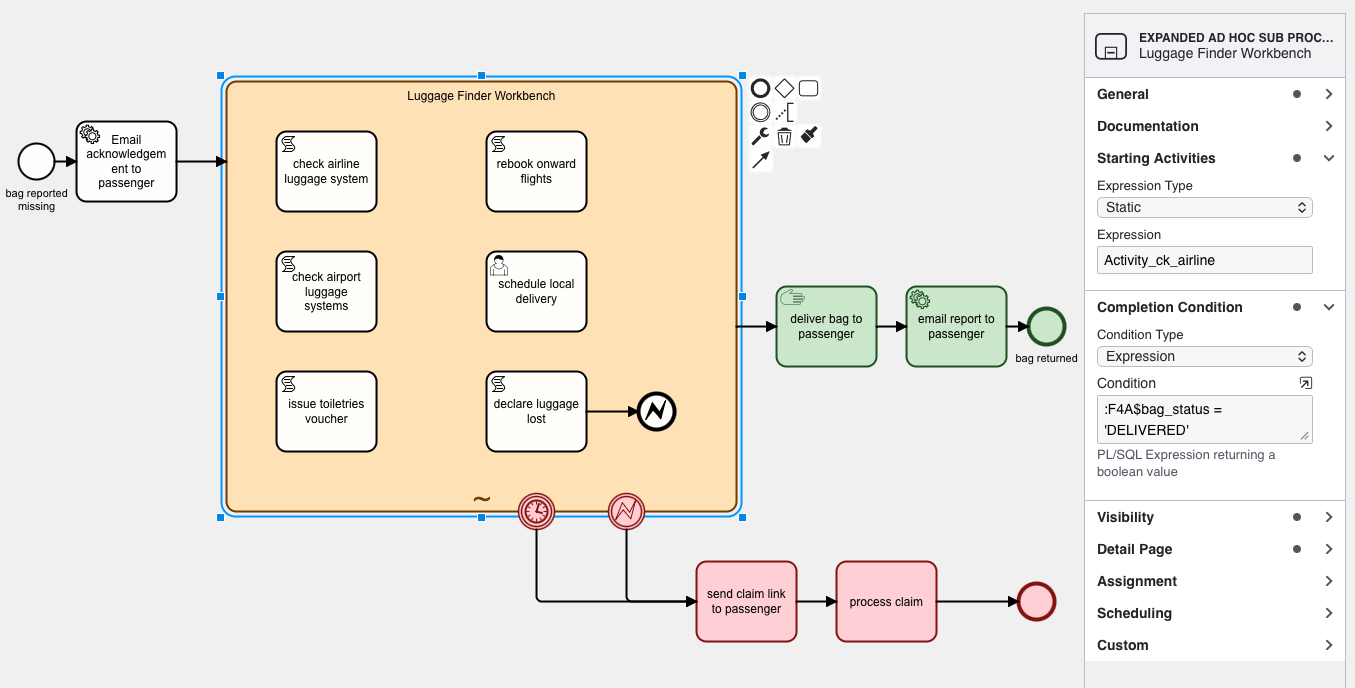
Ad Hoc Sub Processes for Case-Style Work*
Model knowledge-worker processes where people have discretion over what gets done, in what order, and when the work is complete, bringing flexible case-style execution into BPMN.
- Let users choose from a set of available activities instead of enforcing one fixed sequence.
- Run activities in the order that best fits the case, with optional repetition where needed.
- Define completion conditions so the process moves on when the case has truly been handled.
- Combine BPMN governance with the flexibility needed for investigation, service, and exception-handling work.
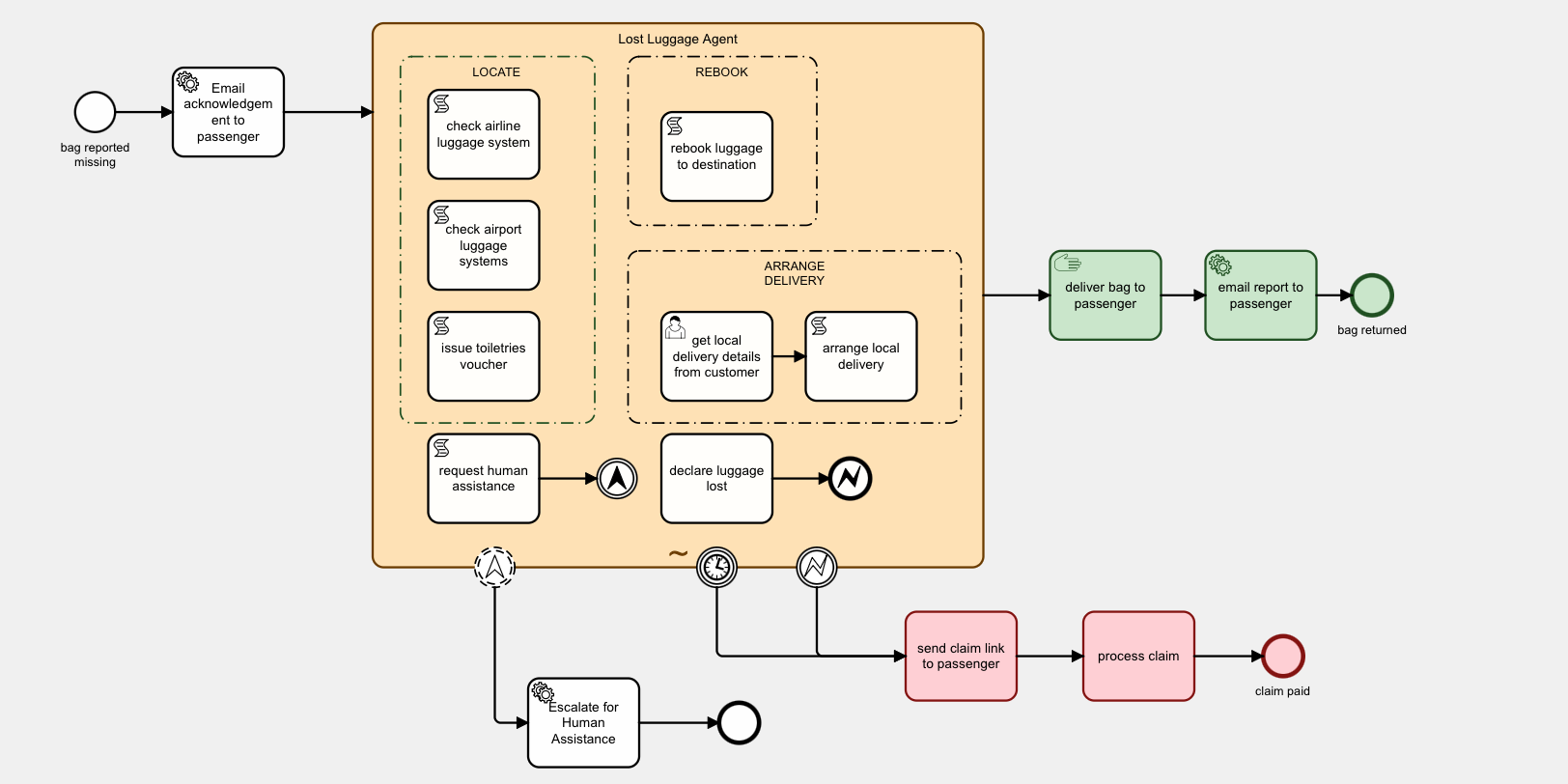
AI-Driven Ad Hoc Operation, Autonomous or Guided*
Turn Ad Hoc Sub Processes into AI-managed work orchestration, with the choice of fully autonomous operation or recommendation mode for human-guided execution.
- Let AI decide which activity to launch next based on process state, objectives, and available actions.
- Choose fully autonomous execution or recommendation mode for human approval and oversight.
- Use the same case-style model for human workers, AI agents, or blended teams.
- Keep every action visible inside the BPMN runtime instead of pushing orchestration into opaque external tools.
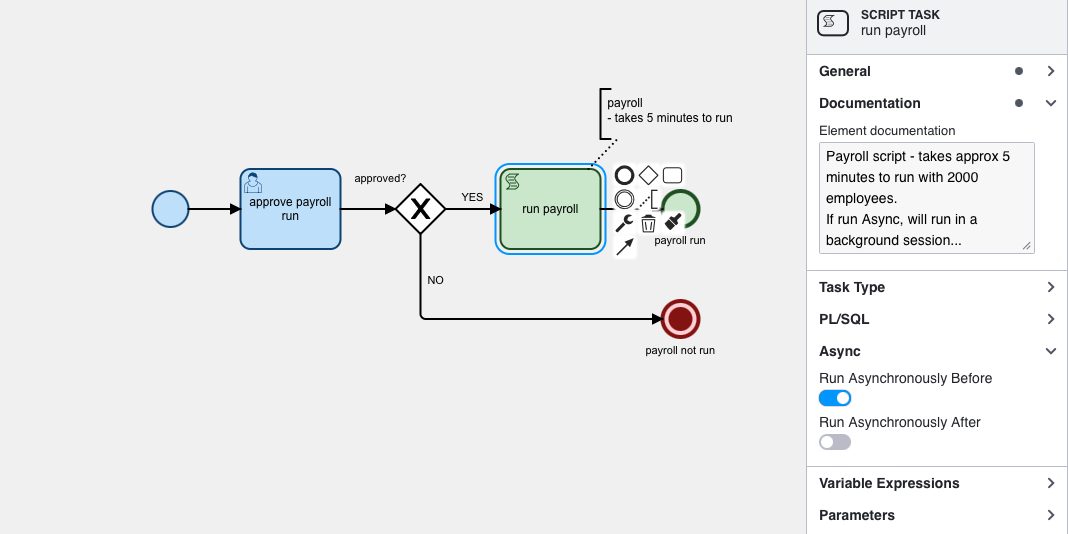
Async Processing Moves Long Tasks to the Background*
Prevent slow script and service tasks from blocking user sessions by queueing long-running work for background execution and resuming the process automatically.
- Mark tasks to run asynchronously before or after the current step.
- Offload expensive integrations, calculations, and batch work into Oracle AQ-driven background sessions.
- Let the engine continue normally until the resumed flow reaches its next wait state, completion, or error.
- Improve responsiveness for interactive users without redesigning the whole process.
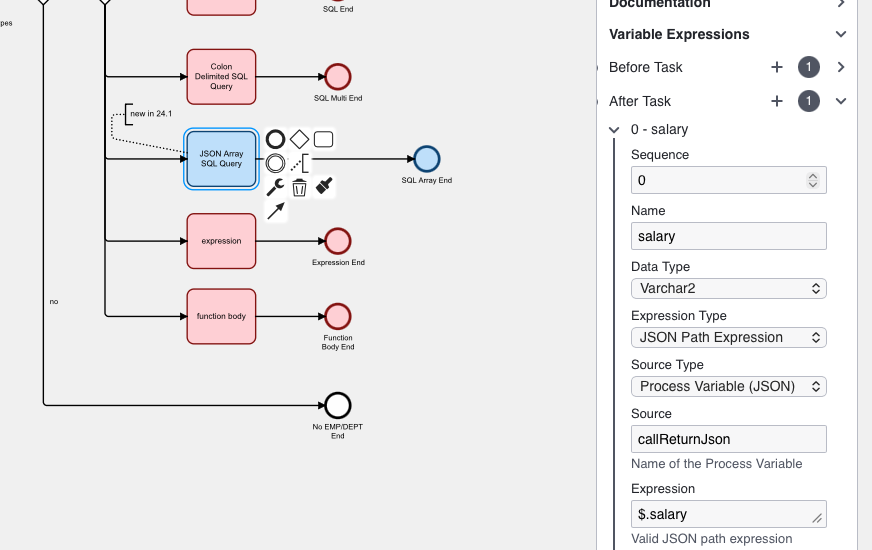
JSONPath Variable Expressions Simplify Data Access
Extract exactly the data you need from JSON process variables with declarative JSONPath expressions, reducing custom parsing code in scripts and task mappings.
- Pull scalar values or nested JSON fragments directly from structured process data.
- Use JSONPath in variable expressions and task parameter mappings for cleaner models.
- Make integrations easier when APIs return rich and deeply nested JSON payloads.
- Keep process logic more declarative, readable, and maintainable.
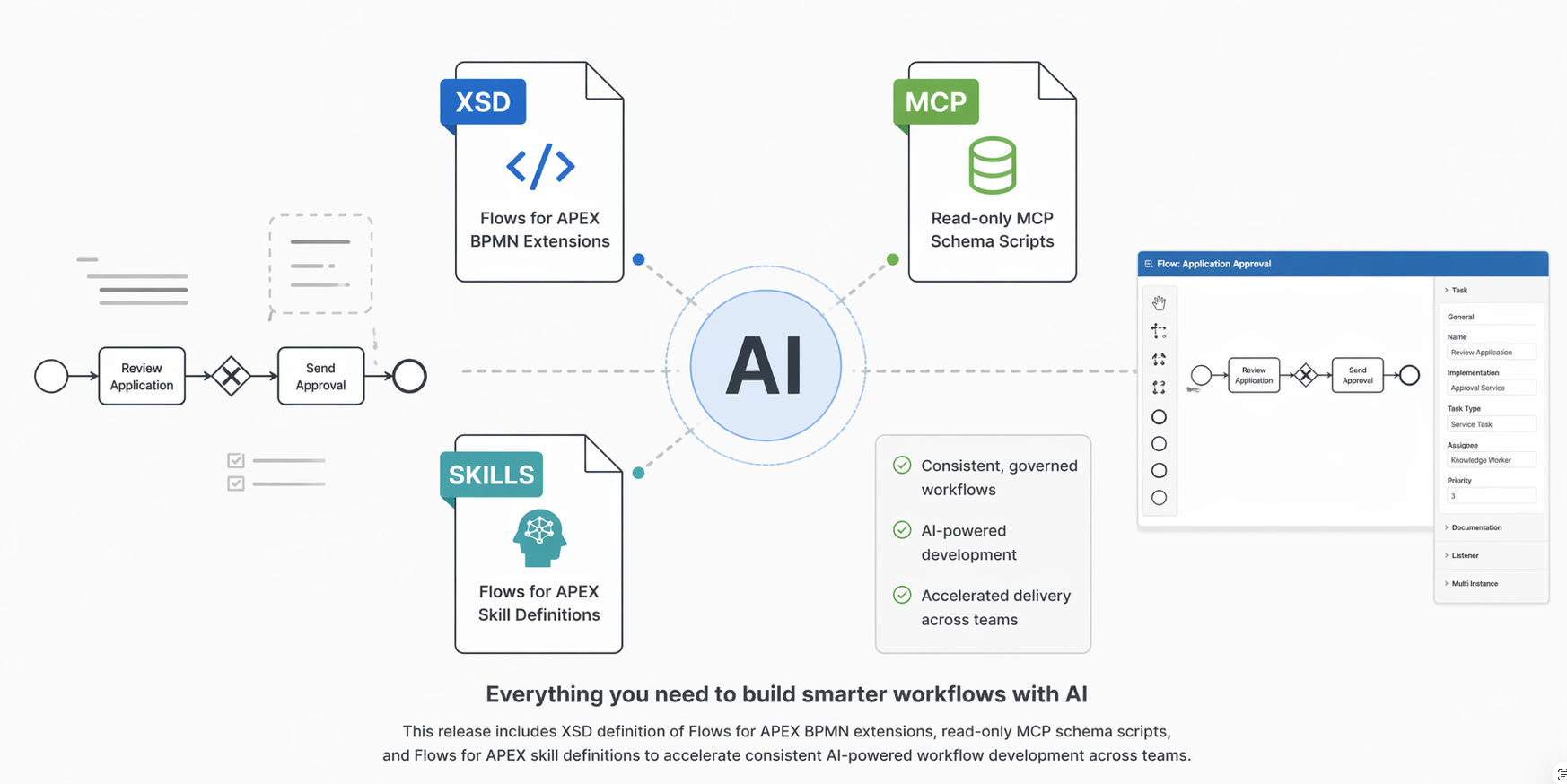
AI Development Support for Flows for APEX
Give developers and AI coding assistants a precise contract for Flows for APEX BPMN extensions, making it easier to generate valid models and work with the platform’s full extension vocabulary.
- The included XSD defines the full BPMN extension set used by Flows for APEX.
- Extension-aware tooling helps LLM coding agents produce BPMN that fits naturally into APEX development workflows.
- This creates a practical “Flowslang” for AI-assisted modeling alongside today’s APEX and “APEXlang” momentum.
- A clearer extension definition improves validation, consistency, and team understanding.
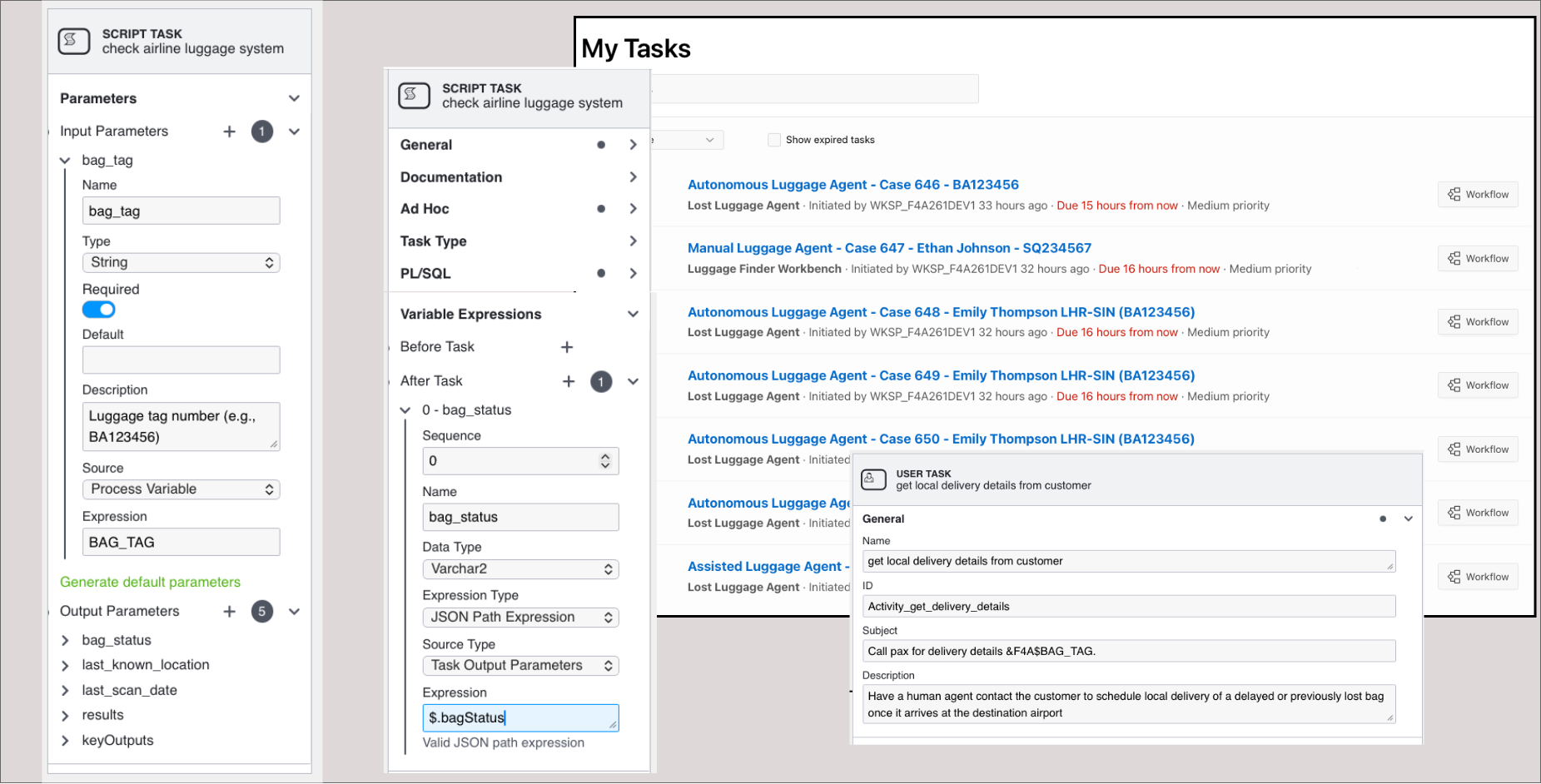
Usability and Developer Productivity Improvements
Everyday modeling and monitoring are easier in v26.1, with richer descriptions, clearer runtime naming, and better visibility into message-driven activity.
- Add descriptions on BPMN objects for better process documentation, end-user guidance, and AI understanding.
- Use more descriptive subflow naming so running instances are easier to follow in monitors and operations.
- Monitor active MessageFlow listeners directly in Flows for APEX for better message-driven diagnostics*.
- Full comments and annotations on Flows for APEX schema objects improve database-level documentation and developer insight.
- Task Parameters add task-level input and output contracts for PL/SQL-based tasks, making interfaces clearer and more reusable.
Flows for APEX Enterprise Edition
To support customers now running Flows for APEX in their mission-critical applications, we also offer the Flows for APEX Enterprise Edition.
- Flows for APEX Enterprise Edition adds Ad Hoc Sub Processes for knowledge-worker and case-style process execution.
- Enterprise Edition extends that with AI-driven operation, so discretionary work can run in fully autonomous or recommendation-assisted modes.
- Additional EE capabilities include async background task execution, advanced process collaboration, and enterprise runtime control features.
- Enterprise customers have access to product support to keep their business processes running.
- All Enterprise Edition licensees also have access to an annual advice session with the product developers.
- Supporting the Enterprise Edition enables dedicated resources to continue the development, testing, and support of both the Enterprise and Community Editions of Flows for APEX.
The Flows for APEX Enterprise Edition is available on an annual subscription basis from Flowquest Limited. * New features available in the Enterprise Edition.
The Flows for APEX Community Edition remains 100% Open Source
The core of Flows for APEX, now called the Flows for APEX Community Edition, remains as an open source project. You can continue to share and/or modify it, always under the adherence of the MIT-license. Support for Community Edition is provided by the Flows for APEX community, via the GitHub issues and discussions pages. Your support of the Enterprise Edition enables new features and higher quality of the Community Edition.